You Need A Budget (YNAB) has been a household name in personal finance software for over a decade. Its zero-based budgeting methodology has helped millions take control of their finances. But in recent years, a growing number of users have started looking for alternatives—and privacy is often the driving factor.
If you’ve landed on this article, you’re probably wondering: What are the best YNAB alternatives that actually respect your financial privacy?
In this comprehensive guide, we’ll explore why people are leaving YNAB, what to look for in a privacy-focused alternative, and provide honest reviews of the top options available in 2025. Whether you’re concerned about cloud data storage, subscription fatigue, or simply want more control over your financial information, we’ve got you covered.
Why People Are Looking for YNAB Alternatives
Before diving into alternatives, let’s understand the key reasons driving users away from YNAB.
The Price Increases
YNAB’s pricing has seen significant increases over the years. What started as a one-time purchase has evolved into a subscription model that now costs $14.99/month or $99/year. For some users, especially those on tight budgets (ironically, the very people who need budgeting tools most), this recurring cost is difficult to justify when free or one-time purchase alternatives exist.
Privacy and Data Concerns
This is the elephant in the room. YNAB is a cloud-first application, meaning:
- Your complete financial history lives on their servers. Every transaction, account balance, budget category, and financial goal is stored remotely.
- Bank sync requires sharing credentials. To use YNAB’s automatic import feature, you connect through Plaid or similar aggregators, sharing read access to your bank accounts with third parties.
- Data is a liability. Even with the best security practices, any company holding your data presents a potential breach target.
For privacy-conscious users, the idea of a third party having access to their complete financial picture is deeply uncomfortable—regardless of how trustworthy that company might be.
The Cloud Dependency Problem
YNAB requires an internet connection for most functionality. While the mobile app has some offline capabilities, it’s fundamentally designed around cloud synchronization. This creates several issues:
- Service outages mean no access. If YNAB’s servers go down, so does your ability to manage your budget.
- Future uncertainty. What happens to your decade of financial data if YNAB shuts down or is acquired?
- No true data ownership. Your export options are limited, making migration challenging.
Changes to Core Features
Long-time users have also expressed frustration with feature changes and removals. The transition from YNAB 4 (a desktop application with local storage) to nYNAB (the current web-based version) was particularly contentious. Many users preferred the offline, one-time-purchase model of the previous version.
What to Look for in a Privacy-Focused Budget App
Not all “private” budget apps are created equal. Here’s a checklist for evaluating alternatives:
Data Storage Location
- Local-first/Offline-first: Data stored exclusively on your device
- Self-hosted: You control the server where data lives
- Cloud with encryption: Data encrypted before leaving your device (zero-knowledge)
- Standard cloud: Data stored on company servers (least private)
Bank Connection Requirements
- Manual entry only: Most private, but requires more effort
- Optional bank sync: Choice between convenience and privacy
- Required bank sync: Least private option
Open Source Transparency
- Fully open source: Code can be audited for security and privacy
- Partially open source: Some components visible
- Closed source: Trust the company’s claims
Business Model
- One-time purchase: No ongoing relationship or data motivation
- Subscription: Ongoing revenue, potential pressure to monetize data
- Free with ads/data selling: Your data is the product
Data Export Capabilities
- Full export in standard formats: CSV, JSON, or other portable formats
- Proprietary export: Locked into their ecosystem
- No export: Complete vendor lock-in
Comparison Table: Privacy-Focused YNAB Alternatives
Budgie
- Data Storage: Device only
- Bank Sync: Optional
- Open Source: Yes
- Price: Free (Premium TBD)
- Platforms: iOS, Android
- Best For: Privacy maximalists who want modern UX
Actual Budget
- Data Storage: Local/Self-hosted
- Bank Sync: Optional plugin
- Open Source: Yes
- Price: Free (self-hosted)
- Platforms: Web, Desktop
- Best For: Technical users wanting full control
Firefly III
- Data Storage: Self-hosted
- Bank Sync: Optional
- Open Source: Yes
- Price: Free
- Platforms: Web
- Best For: Power users with server experience
Copilot
- Data Storage: iCloud
- Bank Sync: Yes (required)
- Open Source: No
- Price: $10.99/mo
- Platforms: Apple only
- Best For: Apple ecosystem users
Monarch Money
- Data Storage: Cloud
- Bank Sync: Yes
- Open Source: No
- Price: $14.99/mo
- Platforms: Web, iOS, Android
- Best For: YNAB users wanting similar UX
Lunch Money
- Data Storage: Cloud
- Bank Sync: Optional
- Open Source: No
- Price: $10/mo
- Platforms: Web
- Best For: Developers and spreadsheet users
Spreadsheets
- Data Storage: Your choice
- Bank Sync: Manual
- Open Source: N/A
- Price: Free-$10/mo
- Platforms: Any
- Best For: Complete control enthusiasts
Detailed Reviews
Budgie: Privacy-First, Offline-First Mobile Budgeting
Privacy Rating: Excellent
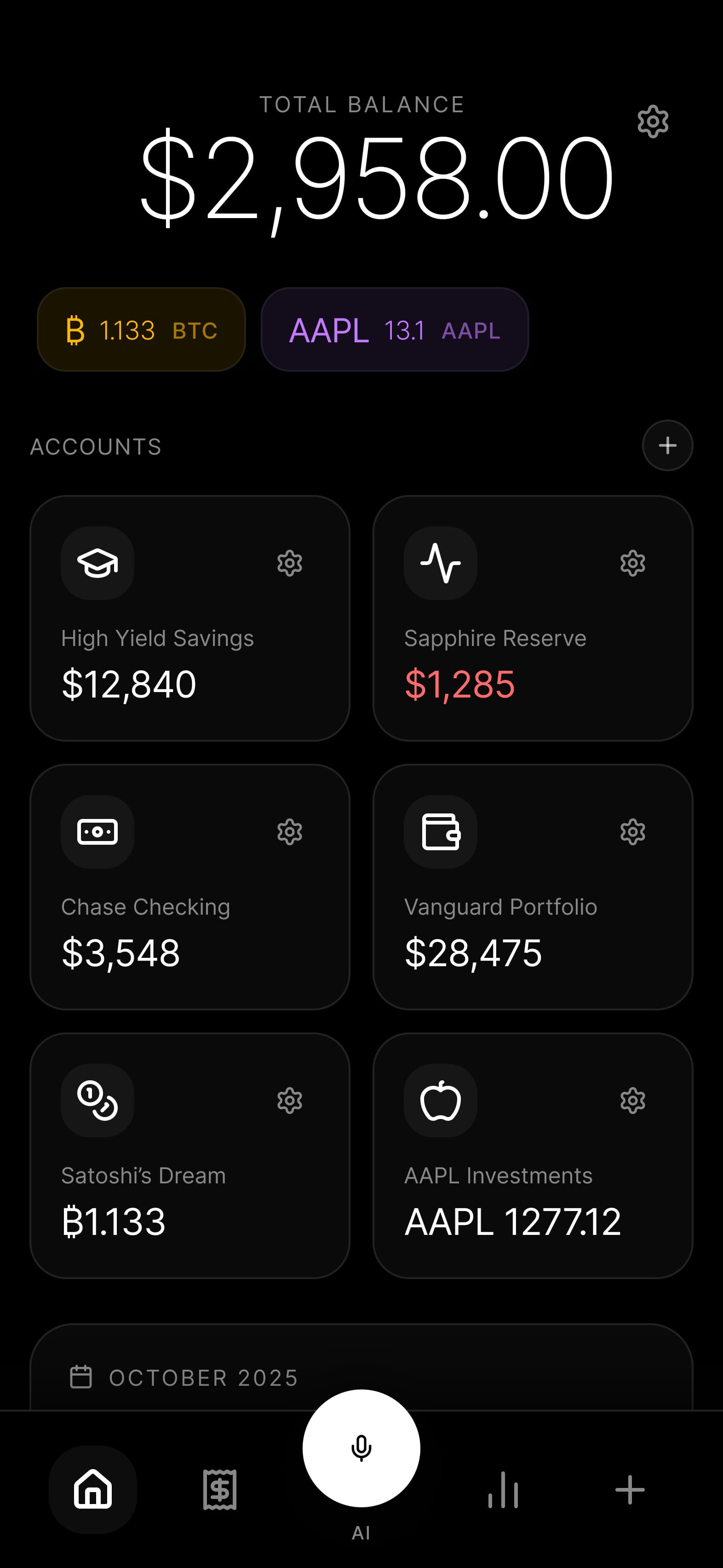
Budgie takes a fundamentally different approach to budgeting software. Built from the ground up as an offline-first application, your financial data never leaves your device unless you explicitly choose to export it.
What makes Budgie different:
- True offline-first architecture. Your data lives on your phone, period. There are no Budgie servers storing your transactions.
- Optional bank sync with privacy. When you do use bank synchronization, connections are processed locally. Budgie never sees your banking credentials or transaction data.
- Open source transparency. The codebase is public, allowing security researchers and privacy advocates to verify claims.
- Multi-currency support. Track accounts in 150+ currencies, plus cryptocurrency, without compromising privacy.
- Modern, intuitive design. Privacy doesn’t mean sacrificing user experience.
Pros:
- Complete data ownership and control
- Works without internet connection
- No subscription lock-in for core features
- Beautiful, modern interface
- Active development with privacy focus
Cons:
- Mobile-focused (no web app currently)
- Newer to market compared to established alternatives
- Some advanced features still in development
Best for: Users who want strong privacy without sacrificing modern app design and user experience. Ideal for those who prefer mobile-first budgeting.
Actual Budget: Open Source Power for Technical Users
Privacy Rating: Excellent (when self-hosted)
Actual Budget emerged from the ashes of Actual, a commercial budgeting app that shut down. The community took over development, creating a fully open-source solution that can run entirely on your own hardware.
Key features:
- Local-first with optional sync. Run it completely locally or set up your own server for multi-device sync.
- YNAB-like methodology. Envelope budgeting similar to YNAB’s approach.
- Active community development. Regular updates and improvements from passionate contributors.
- Optional bank sync plugin. SimpleFIN integration available for those who want it.
Pros:
- Completely free and open source
- Can be entirely self-hosted
- Familiar budgeting methodology
- Strong community support
- Works offline
Cons:
- Requires technical knowledge for setup
- Web-based (no native mobile apps)
- UI can feel dated compared to commercial apps
- Self-hosting requires maintenance
Best for: Technical users comfortable with self-hosting who want maximum control and don’t mind a steeper learning curve.
Firefly III: Self-Hosted Financial Management
Privacy Rating: Excellent (self-hosted)
Firefly III is a comprehensive personal finance manager designed for self-hosting. It goes beyond simple budgeting to provide a complete view of your finances.
Key features:
- Full financial management. Tracks accounts, budgets, bills, and more.
- Powerful reporting. Detailed charts and insights about your spending.
- Rule-based automation. Automatic categorization and tagging.
- API access. Integrate with other tools and services.
- Docker support. Easy deployment for those familiar with containers.
Pros:
- Completely free and open source
- Extensive feature set beyond budgeting
- Highly customizable
- Strong privacy through self-hosting
- Active development
Cons:
- Requires server and technical knowledge
- Can be overwhelming for casual users
- No official mobile app (third-party options exist)
- Setup is non-trivial
Best for: Power users with server experience who want a comprehensive, self-hosted financial management system.
Copilot: Apple Ecosystem Privacy
Privacy Rating: Good (Apple ecosystem)
Copilot is a beautifully designed finance app exclusive to Apple devices. While it does use cloud storage (iCloud), it keeps your data within Apple’s ecosystem rather than third-party servers.
Key features:
- Native Apple design. Feels right at home on iOS and macOS.
- iCloud sync. Data syncs through your own iCloud account.
- Bank sync included. Automatic imports via Plaid.
- Smart categorization. Machine learning helps organize transactions.
- Apple Watch support. Quick access from your wrist.
Pros:
- Beautiful, native Apple design
- Data stays in your iCloud
- Excellent user experience
- Regular updates and active development
- Good category customization
Cons:
- Apple-only (no Android or web)
- Requires bank sync for best experience
- Subscription pricing
- Limited export options
- Closed source
Best for: Apple users who trust iCloud and want a polished, native experience with less concern about bank sync privacy.
Monarch Money: The Direct YNAB Competitor
Privacy Rating: Average (cloud-based)
Monarch Money positions itself as a modern YNAB alternative with enhanced features. It’s cloud-based and focuses on households and collaborative budgeting.
Key features:
- Household collaboration. Built for couples and families to budget together.
- Investment tracking. See your net worth including retirement accounts.
- Goal tracking. Visual progress toward financial goals.
- Advisor access. Optional feature to share with financial advisors.
- Clean interface. Modern design that improves on YNAB’s UX.
Pros:
- Similar methodology to YNAB
- Better household features
- Investment and net worth tracking
- Modern, clean interface
- Good customer support
Cons:
- Cloud-based (data on their servers)
- Requires bank sync for best experience
- Similar pricing to YNAB
- Closed source
- Another subscription to manage
Best for: Users who want something similar to YNAB with better household features and don’t mind cloud storage.
Lunch Money: Developer-Friendly Budgeting
Privacy Rating: Average (cloud-based)
Lunch Money appeals to developers and technically-minded users who appreciate a clean, no-nonsense approach to budgeting with strong API access.
Key features:
- API-first design. Build custom integrations and automations.
- Multi-currency native. Designed for international users.
- Flexible categorization. Rules and tags for organization.
- Minimal design. Clean interface without unnecessary features.
- CSV import/export. Good data portability.
Pros:
- Excellent API for custom integrations
- Good multi-currency support
- Clean, focused interface
- Reasonable pricing
- Responsive solo developer
Cons:
- Cloud-based
- Limited mobile experience
- Smaller development team
- Bank sync through third party
- Missing some advanced features
Best for: Developers and technically-minded users who want API access and appreciate a minimal, focused approach.
Spreadsheets: The Ultimate Control Option
Privacy Rating: Excellent (with caveats)
Sometimes the simplest solution is the most private. Spreadsheets offer complete control—if you’re willing to put in the work.
Options include:
- Local spreadsheet apps. LibreOffice Calc, Numbers (offline mode)
- Self-hosted solutions. Nextcloud with OnlyOffice
- Cloud spreadsheets. Google Sheets, Excel Online (less private)
- Budgeting templates. Many free templates available
Pros:
- Complete control over your data
- Infinitely customizable
- No subscription for local options
- No company can shut down your spreadsheet
- Learn exactly how budgeting works
Cons:
- Requires significant setup and maintenance
- No automatic bank sync
- Easy to make formula errors
- No mobile app experience
- Time-consuming data entry
Best for: Users who want absolute control, enjoy working with data, and don’t mind manual entry.
Why Budgie Takes a Different Approach
At Budgie, we believe financial privacy shouldn’t be a premium feature—it should be the foundation. Here’s how our architecture differs from cloud-based alternatives.
Your Device is the Database
Most budgeting apps treat your phone as a thin client—a window into data stored on remote servers. Budgie flips this model. Your phone isn’t just displaying your budget; it’s storing it. There’s no Budgie server with a copy of your financial life because we never receive it in the first place.
Bank Sync Without Surveillance
When you choose to enable bank synchronization in Budgie, here’s what happens:
- Your banking credentials are encrypted and stored locally on your device
- The connection to your bank happens directly from your phone
- Transaction data flows from your bank to your device—never through our servers
- We literally cannot see your transactions because we’re not in the data path
Compare this to traditional bank sync, where:
- You enter credentials on a third-party service (Plaid, Yodlee, etc.)
- They store your credentials on their servers
- They fetch your transactions and store them
- They share data with the budgeting app
- The app stores it on their servers
That’s a lot of copies of your financial data floating around.
Open Source Verification
Privacy claims are easy to make and hard to verify—unless you can read the code. Budgie is open source, meaning:
- Security researchers can audit our privacy claims
- Privacy advocates can verify we’re not collecting telemetry
- Developers can see exactly how bank sync works
- Anyone can build the app from source
We’re not asking you to trust us. We’re giving you the tools to verify.
Future-Proof Your Finances
Because your data lives on your device in standard formats, you’re never locked in:
- Export anytime in CSV or JSON
- Your data doesn’t disappear if we go out of business
- No subscription required to access your own information
- Switch apps without losing history
Migrating from YNAB: A Practical Guide
If you’ve decided to make the switch, here’s how to move your financial data from YNAB to a privacy-focused alternative.
Step 1: Export Your YNAB Data
- Log into YNAB on the web
- Click on your budget name
- Go to Settings
- Scroll down to “Export Budget”
- Download the ZIP file containing your data
The export includes:
- Budget settings and categories
- All transactions
- Scheduled transactions
- Account information
Step 2: Understand What You’re Moving
YNAB’s export includes several CSV files:
- Budget.csv: Category allocations by month
- Register.csv: All transactions
- Scheduled.csv: Recurring transaction templates
Most alternative apps can import at least the transaction register. Category mappings typically need to be recreated.
Step 3: Choose Your Migration Path
For Budgie:
- Import transactions via CSV
- Recreate your category structure (often an opportunity to simplify)
- Set up accounts to match your banks
- Consider starting fresh with just your current balances
For Actual Budget:
- Built-in YNAB import tool available
- Preserves more of your category structure
- Good documentation for migration process
For Firefly III:
- CSV import with field mapping
- May require data transformation
- Community scripts available for YNAB conversion
Step 4: The Fresh Start Option
Sometimes the best migration is no migration. Consider starting fresh if:
- Your YNAB budget has accumulated debt/complexity
- You want to rethink your category structure
- Historical data isn’t critical for your goals
- You prefer a clean slate
Simply set up your accounts with current balances and start tracking from today forward. Many users find this liberating.
Step 5: Run Parallel for One Month
Before fully committing:
- Set up your new app with current balances
- Continue using YNAB for one month
- Enter transactions in both apps
- Compare the experience and accuracy
- Make your final decision with real data
This approach eliminates the fear of “what if I made the wrong choice” and lets you experience the differences firsthand.
Frequently Asked Questions
Is YNAB safe to use?
YNAB employs industry-standard security practices and has a good track record. However, “safe“ and “private” are different concepts. YNAB is relatively safe from hackers, but your data is still stored on their servers, accessible to their employees (with proper authorization), and subject to their privacy policy. For users who want true financial privacy, this centralized storage model is the core concern—not necessarily YNAB’s security practices.
Can I use YNAB without linking my bank account?
Yes, YNAB supports manual transaction entry. However, the app is designed around bank sync, and some users find the manual-only experience less polished. If you’re using YNAB without bank sync for privacy reasons, you might consider an app that was designed for manual entry from the start.
What’s the best free YNAB alternative?
For privacy-conscious users, Actual Budget (self-hosted) and Firefly III are the best free options with strong privacy. Both are open source and can run entirely on your own hardware. Budgie also offers a free tier with core budgeting functionality. If privacy isn’t your primary concern and you just want free, there are many options, but most involve trading your data for access.
Which YNAB alternative has the best mobile app?
Among privacy-focused options, Budgie offers the best mobile experience as it was built mobile-first. Copilot has an excellent iOS app but requires Apple ecosystem and bank sync. Most open-source alternatives (Actual, Firefly III) have web interfaces that work on mobile but aren’t native apps, which can feel less polished on a phone.
How do I budget without bank sync?
Manual budgeting is simpler than it sounds. Check accounts daily—it takes 2-3 minutes to enter new transactions. Use receipts and enter transactions as you make purchases. Do weekly reconciliation to match your app against bank statements. Embrace the awareness—manual entry makes you more conscious of spending. Many users find manual entry actually improves their financial awareness compared to automatic sync.
Is Monarch Money better than YNAB?
Monarch Money offers some improvements over YNAB, including better household features and investment tracking. However, from a privacy perspective, it’s similar to YNAB—cloud-based with bank sync integration. If privacy is your reason for leaving YNAB, Monarch doesn’t solve that problem. If you’re leaving for other reasons (price, features, UX), Monarch could be a good fit.
Can I import my YNAB data into a privacy-focused app?
Most alternatives support some form of YNAB import. Actual Budget has a built-in YNAB importer. Budgie supports CSV import for transactions. Firefly III offers CSV import with mapping tools. The main challenge is category structure—most imports bring transactions but require recreating your budget categories. Some users view this as an opportunity to simplify and restructure.
What happens to my data if a budgeting app shuts down?
This depends entirely on the app’s architecture. Cloud-based apps (YNAB, Monarch, Lunch Money) typically give you advance notice and an export window, but your historical data depends on their cooperation. Self-hosted apps (Actual, Firefly III) keep your data on your hardware, so company status doesn’t affect access. Local-first apps (Budgie) store data on your device, which remains accessible regardless of app or company status. This is a key advantage of local-first and self-hosted solutions—true data ownership means you’re never at the mercy of a company’s business decisions.
Making Your Decision
Choosing a budgeting app is personal. The “best” choice depends on your priorities:
Choose Budgie if:
- Privacy is non-negotiable
- You want modern mobile UX
- Offline capability matters
- You prefer your data on your device
Choose Actual Budget if:
- You’re comfortable self-hosting
- You want something free and open source
- YNAB-like methodology appeals to you
- You need web/desktop access
Choose Firefly III if:
- You want comprehensive finance management
- Self-hosting is within your comfort zone
- You need advanced reporting
- You’re a power user
Choose Copilot if:
- You’re all-in on Apple
- You trust iCloud with your data
- Native app experience is priority
- You don’t mind bank sync
Choose Monarch Money if:
- You want YNAB-like experience
- Household budgeting is important
- You’re comfortable with cloud storage
- Investment tracking matters
Choose spreadsheets if:
- You want absolute control
- You enjoy working with data
- You don’t need mobile apps
- You’re very patient
Take the Next Step
Your financial data tells the story of your life—where you shop, what you value, how you spend your time. That story belongs to you.
If privacy matters to you, we built Budgie for exactly that reason. No servers storing your transactions. No third parties with access to your spending habits. Just you and your budget, on your device.
Ready to take control of your financial privacy?