After 17 years of helping millions track their spending, Mint officially shut down on March 23, 2024. If you’re a developer who relied on Mint, you’re probably feeling frustrated, betrayed, and maybe a bit anxious about where your financial data will live next.
You’re not alone. The shutdown affected over 3.6 million active users, and the transition path Intuit offered (Credit Karma) left most of us deeply unsatisfied. For developers especially, Credit Karma’s approach to data privacy and lack of technical features makes it a non-starter.
This guide is written by developers, for developers. We’ve tested every major Mint alternative and evaluated them based on what actually matters to technical users: data ownership, API access, export capabilities, privacy practices, and the ability to self-host or run offline.
Let’s find your new financial home.
The End of an Era: What Happened to Mint
Mint launched in 2007 and quickly became the gold standard for personal finance apps. Intuit acquired it in 2009 for $170 million, and for years, it seemed like a perfect marriage. Mint aggregated your accounts, categorized transactions automatically, and gave you a clean dashboard view of your financial life.
Then things started to deteriorate.
The Timeline of Mint’s Decline
- 2020-2022: Feature stagnation. While competitors innovated, Mint’s interface remained largely unchanged.
- 2022: Increasing sync issues. Bank connections became unreliable, with users reporting days of failed syncs.
- November 2023: Intuit announces Mint will be discontinued, pushing users toward Credit Karma.
- January 2024: Data migration to Credit Karma begins for users who opt in.
- March 23, 2024: Mint officially shuts down. Users lose access to historical data if not exported.
The shutdown wasn’t just about a product failing. It was a wake-up call about the risks of trusting your financial data to a free, ad-supported service owned by a corporation whose priorities can shift overnight.
Why Credit Karma Isn’t the Answer
Intuit’s official recommendation was to migrate to Credit Karma. On the surface, it makes sense: same parent company, established platform, free to use. But for developers and privacy-conscious users, Credit Karma has fundamental problems.
The Privacy Problem
Credit Karma’s business model is built entirely on monetizing your financial data. They offer free credit monitoring in exchange for showing you targeted financial product recommendations. Every credit card, loan, and insurance offer you see is there because Credit Karma’s algorithms determined you’re a good target based on your financial profile.
This isn’t hidden. Credit Karma is upfront that they make money when you accept offers. But the implications are significant:
- Your transaction data feeds their recommendation engine
- Your spending patterns are analyzed to determine your creditworthiness
- Third-party partners receive anonymized (but detailed) behavioral data
- You become the product, not the customer
Missing Features Developers Need
Beyond privacy concerns, Credit Karma simply lacks features that technical users expect:
- No API access: You cannot programmatically access your data
- No bulk export: Limited ability to export historical transactions
- No multi-currency support: A dealbreaker for remote workers and international users
- No custom categories: You’re stuck with their predetermined categorization
- No offline access: 100% cloud-dependent with no local storage option
The Trust Factor
Perhaps most importantly, Credit Karma is owned by the same company that just shut down Mint. If Intuit decided Mint wasn’t worth maintaining after 17 years, what guarantees do you have about Credit Karma’s longevity?
For developers who value data ownership and system reliability, this is an unacceptable risk.
What Developers Actually Need in a Budget App
Before diving into alternatives, let’s establish what technical users typically prioritize. Based on discussions in developer communities like Hacker News, Reddit’s r/selfhosted, and various Discord servers, here’s what matters most:
1. Data Ownership and Portability
Your financial data belongs to you. Period. A good budget app should:
- Store data locally or on infrastructure you control
- Offer comprehensive export functionality (CSV, JSON, SQL)
- Never lock you into a proprietary format
- Allow you to delete your data completely if you leave
2. API Access
Developers want to integrate their financial data with other tools:
- Personal dashboards and visualizations
- Automated alerts and notifications
- Custom reports and analysis scripts
- Integration with spreadsheets or databases
3. Privacy by Design
This means more than just a privacy policy. True privacy requires:
- Minimal data collection (only what’s necessary)
- Local-first or self-hosted architecture when possible
- No advertising or data monetization
- Transparent security practices
- Open source code for verification
4. Technical Reliability
The app needs to work:
- Consistent bank sync (when offered)
- Fast performance with large transaction histories
- Reliable data integrity
- Active development and bug fixes
5. Flexibility and Customization
Developers hate arbitrary limitations:
- Custom categories and tags
- Multi-currency support
- Multiple account types (checking, savings, investments, crypto)
- Rule-based automation for categorization
With these criteria in mind, let’s evaluate the alternatives.
The Developer’s Guide to Mint Alternatives: Complete Comparison
We’ve tested each of these apps extensively. Here’s how they stack up for technical users:
Budgie
- Data Storage: Device-only
- Open Source: Yes
- API Access: Coming soon
- Bank Sync: Optional
- Multi-Currency: 150+
- Offline Support: Full
- Privacy Level: Maximum
- Mobile App: Native iOS/Android
- Price: Free
- Best For: Privacy-first users
Actual Budget
- Data Storage: Local/Self-host
- Open Source: Yes
- API Access: Yes
- Bank Sync: Via SimpleFIN
- Multi-Currency: Yes
- Offline Support: Full (local)
- Privacy Level: High
- Mobile App: PWA
- Price: Free/Paid hosting
- Best For: Self-hosters
Firefly III
- Data Storage: Self-hosted
- Open Source: Yes
- API Access: Yes
- Bank Sync: Manual/plugins
- Multi-Currency: Yes
- Offline Support: Self-hosted
- Privacy Level: Maximum
- Mobile App: PWA
- Price: Free
- Best For: Technical users
Lunch Money
- Data Storage: Cloud
- Open Source: No
- API Access: Yes
- Bank Sync: Plaid
- Multi-Currency: Yes
- Offline Support: No
- Privacy Level: Medium
- Mobile App: Yes
- Price: $10/month
- Best For: Dev-friendly SaaS
Copilot
- Data Storage: Cloud
- Open Source: No
- API Access: No
- Bank Sync: Plaid
- Multi-Currency: Limited
- Offline Support: No
- Privacy Level: Low
- Mobile App: iOS only
- Price: $12/month
- Best For: Apple users
YNAB
- Data Storage: Cloud
- Open Source: No
- API Access: Yes
- Bank Sync: Plaid
- Multi-Currency: Yes
- Offline Support: No
- Privacy Level: Medium
- Mobile App: Yes
- Price: $14/month
- Best For: Envelope budgeting
Monarch Money
- Data Storage: Cloud
- Open Source: No
- API Access: Limited
- Bank Sync: Plaid
- Multi-Currency: Yes
- Offline Support: No
- Privacy Level: Low
- Mobile App: Yes
- Price: $15/month
- Best For: Mint refugees
Let’s dive deeper into each option.
Detailed Reviews: Finding Your Perfect Match
Budgie: Privacy Without Compromise
Best for: Developers who prioritize privacy and want a modern, offline-first experience.
Budgie takes a fundamentally different approach to personal finance apps. Instead of storing your data in the cloud, everything lives on your device. No servers to hack. No company with access to your transactions. No risk of another Mint-style shutdown taking your data with it.
What Sets Budgie Apart:
- True offline-first architecture: Your financial data never leaves your phone unless you explicitly export it. This isn’t just about privacy, it’s about reliability. No internet? No problem. Budgie works everywhere.
- Open source transparency: The entire codebase is available for inspection. Security researchers can verify privacy claims. You can even build the app yourself if you want complete assurance.
- Zero-knowledge bank sync: If you want automatic transaction imports, Budgie’s bank sync uses end-to-end encryption. Your credentials are encrypted on your device, and sync happens directly between your phone and your bank. Budgie never sees your banking credentials or transaction data.
- Multi-currency native support: Track accounts in 150+ currencies with automatic exchange rate updates. Perfect for digital nomads, remote workers with international clients, or anyone with foreign accounts.
- Crypto and stock tracking: Beyond traditional accounts, Budgie tracks cryptocurrency holdings and investment portfolios, all with the same privacy guarantees.
Developer-Friendly Features:
- Clean, modern codebase built with React Native and Expo
- Local SQLite database with Drizzle ORM (you can query your own data)
- Planned API for power users to build custom integrations
- Export to JSON, CSV, or direct database access
Trade-offs to Consider:
- Newer app, still building feature parity with established players
- Bank sync requires trust in the sync provider (though still more private than cloud-first apps)
- Single-device focus means no automatic sync between phone and tablet
Pricing: Free. No ads, no premium tiers, no data monetization.
Actual Budget: The Self-Hoster’s Dream
Best for: Developers comfortable with Docker who want complete infrastructure control.
Actual Budget started as a commercial app, then became open source in 2022. It’s now maintained by an active community and has become the go-to choice for self-hosting enthusiasts.
Strengths:
- True self-hosting: Run it on your own server, Raspberry Pi, or cloud VM. Your data never touches third-party infrastructure unless you choose a hosted option.
- Real-time sync: Unlike purely local apps, Actual can sync between devices if you run your own server.
- Envelope budgeting: Implements the zero-based budgeting methodology effectively, helping you allocate every dollar.
- SimpleFIN integration: Bank sync available through SimpleFIN, which has a more privacy-respecting approach than Plaid.
- Full API: GraphQL API allows complete programmatic access to your data.
Developer-Friendly Features:
- Docker deployment with compose files provided
- SQLite database you own and control
- Active GitHub community with regular updates
- TypeScript codebase, easy to contribute to
Trade-offs to Consider:
- Requires technical setup (not plug-and-play)
- Mobile experience is a PWA, not a native app
- Bank sync reliability varies by institution
- Self-hosting means you’re responsible for backups and security
Pricing: Free to self-host. Paid hosting option available from the community.
Firefly III: Maximum Customization
Best for: Power users who want granular control over every aspect of financial tracking.
Firefly III is the Linux of personal finance apps: incredibly powerful, deeply customizable, and requires some investment to set up properly. For developers who want complete control, it’s hard to beat.
Strengths:
- Incredibly comprehensive: Tracks assets, liabilities, budgets, piggy banks, bills, and more. If you can think of a financial scenario, Firefly III probably handles it.
- Rule engine: Powerful automation rules can categorize transactions, add tags, and update fields based on custom logic.
- Reports and analytics: Built-in reporting is extensive, and you can always query the database directly.
- Currency and localization: Full multi-currency support with customizable locales.
Developer-Friendly Features:
- Complete REST API with comprehensive documentation
- Webhook support for integrations
- PostgreSQL or MySQL backend (your choice)
- Data importer supporting dozens of formats
- Active plugin ecosystem
Trade-offs to Consider:
- Steep learning curve
- No official bank sync (community importers available)
- UI feels dated compared to modern apps
- Self-hosting complexity (PHP application with database)
- Mobile experience is limited to web interface
Pricing: Free and open source.
Lunch Money: Developer-Focused SaaS
Best for: Developers who want API access without self-hosting infrastructure.
Lunch Money was built by a solo developer and maintains a developer-friendly ethos. It’s the best cloud-based option for those who want programmatic access to their data.
Strengths:
- First-class API: Well-documented REST API allows full CRUD operations on transactions, categories, budgets, and more.
- Multi-currency excellence: Excellent support for multiple currencies, including crypto integration.
- Clean interface: Modern, fast web app with thoughtful UX.
- Plaid integration: Reliable bank sync through Plaid for US, Canadian, and UK banks.
- Developer community: Active Discord with direct access to the developer.
Developer-Friendly Features:
- Comprehensive API documentation
- Webhooks for real-time integrations
- CSV import/export
- Crypto portfolio tracking
Trade-offs to Consider:
- Cloud-based means your data is on their servers
- Small team (bus factor risk)
- No native mobile apps (responsive web only)
- Subscription required ($10/month)
Pricing: $10/month after 14-day free trial.
Copilot: The Apple Ecosystem Choice
Best for: iOS/Mac users who prioritize design and are comfortable in Apple’s walled garden.
Copilot is a beautifully designed app exclusive to Apple platforms. If you’re deeply embedded in the Apple ecosystem and aesthetics matter to you, it’s worth considering.
Strengths:
- Stunning design: Arguably the best-looking finance app on iOS.
- Native performance: Built specifically for Apple platforms, feels fast and responsive.
- Apple integration: Works with Apple Watch, Siri, widgets, and Shortcuts.
- Reliable bank sync: Plaid-powered with generally good connection stability.
Developer-Friendly Features:
- Shortcuts integration allows some automation
- Well-designed export functionality
- Good categorization rules
Trade-offs to Consider:
- Apple-only (no Android, no web)
- No API access
- Cloud-based data storage
- Venture-backed company (monetization pressure)
- Relatively expensive for what you get
Pricing: $12/month or $95/year.
YNAB (You Need A Budget): The Methodology Master
Best for: Developers who want to adopt zero-based budgeting and don’t mind cloud storage.
YNAB has been around since 2004 and has a devoted following. It’s less about tracking spending and more about intentional money allocation. The methodology works, but the implementation has trade-offs.
Strengths:
- Proven methodology: Zero-based budgeting helps many people gain control of their finances.
- Educational resources: Extensive tutorials, webinars, and community support.
- Mature API: Well-documented, stable API for integrations.
- Multi-currency support: Good international currency handling.
Developer-Friendly Features:
- OAuth-based API with comprehensive documentation
- Active developer community
- Multiple third-party integrations available
Trade-offs to Consider:
- Cloud-only (no offline functionality)
- Expensive at $14/month
- Learning curve for the methodology
- Bank sync can be unreliable
- Recent price increases have frustrated long-time users
Pricing: $14/month or $99/year.
Monarch Money: The Mint Spiritual Successor
Best for: Users who want something similar to Mint with better reliability and support.
Monarch Money was founded by former Mint employees who wanted to build what Mint should have become. It’s the most direct replacement for traditional Mint users who don’t have technical requirements.
Strengths:
- Mint-like experience: Familiar aggregation approach with better execution.
- Collaborative features: Excellent for couples managing finances together.
- Investment tracking: Good portfolio tracking capabilities.
- Reliable sync: Generally better bank connection stability than Mint had.
Developer-Friendly Features:
- Basic API access available
- Good export functionality
Trade-offs to Consider:
- Cloud-based with Plaid data sharing
- Limited API compared to developer-focused options
- No self-hosting option
- Monthly subscription required
- Privacy model similar to what made Mint problematic
Pricing: $15/month or $99/year.
Budgie: Built by Developers, for Developers
After evaluating all these options, we built Budgie because none of them fully satisfied what we wanted as developers.
The Problem We Saw
Open-source options required significant self-hosting expertise. Cloud services monetized user data or charged substantial monthly fees. Mobile experiences were often afterthoughts (PWAs instead of native apps). And privacy was always a compromise.
Our Solution
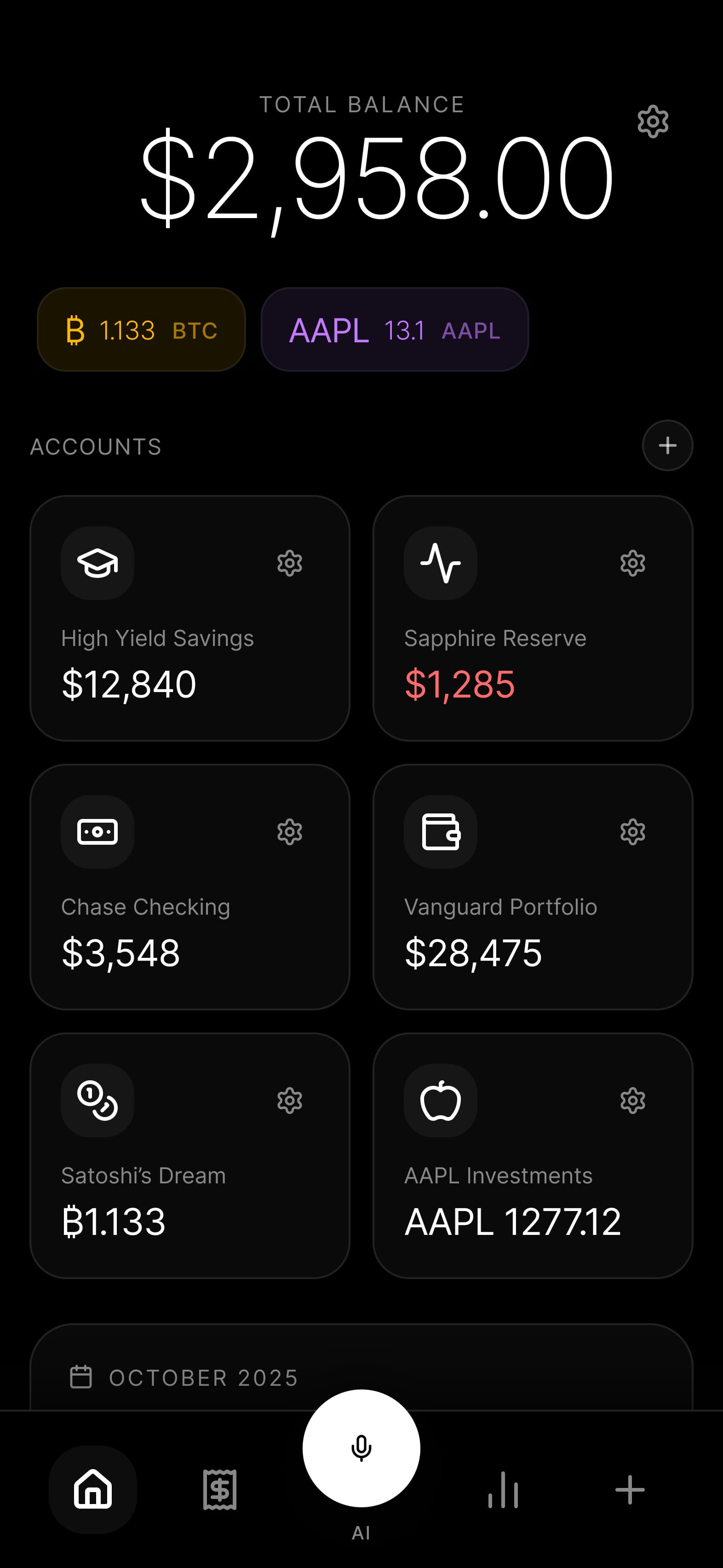
Budgie is native mobile-first, completely offline-capable, and radically private. Your data lives on your device in a SQLite database you can query directly. Bank sync, when used, employs zero-knowledge architecture. The app is open source so you can verify every claim we make.
Why Developers Choose Budgie
- No vendor lock-in: Export everything, anytime, in standard formats.
- No subscription fees: Free forever, no premium tiers.
- No data monetization: We don’t want your data. We can’t even access it.
- No server dependencies: Works on a plane, in the wilderness, during an outage.
- Modern tech stack: React Native, Expo, Drizzle ORM, TypeScript throughout.
The Trade-offs We Accept
Single-device focus means no automatic cloud sync between devices. We think this is the right trade-off for privacy, but we understand it’s not for everyone. If you need multi-device sync, Actual Budget with self-hosting might be better for you.
How to Export Your Mint Data (Before It’s Too Late)
If you haven’t exported your Mint data yet, here’s what you need to know:
The Bad News: As of March 23, 2024, Mint is fully shut down. If you didn’t export before then, your historical data may be gone.
If You Migrated to Credit Karma: Your transaction history should have transferred, but it’s in Credit Karma’s format now. You can export from Credit Karma, but the data structure differs from Mint.
If You Exported Before Shutdown
Mint’s export format was a CSV file with these columns:
- Date
- Description
- Original Description
- Amount
- Transaction Type
- Category
- Account Name
- Labels
- Notes
Most Mint alternatives can import this format directly or with minor adjustments.
Importing to Budgie
- Open Budgie and go to Settings, then Import Data
- Select your Mint CSV export file
- Map the columns to Budgie’s fields
- Review the import preview
- Confirm to add transactions to your accounts
Budgie automatically attempts to match categories and can learn from your corrections to improve future categorization.
For Other Apps
- Actual Budget: Import via File, then Import, then CSV
- Firefly III: Use the data importer tool with Mint preset
- Lunch Money: Import directly in Settings, then Import
- YNAB: File Import supports Mint CSV format
Frequently Asked Questions
What happened to all my Mint data?
If you exported before March 23, 2024, you should have a CSV file containing your transaction history. If you migrated to Credit Karma, that data transferred to your new account. If you did neither, unfortunately, the data is likely unrecoverable. This is exactly why data ownership matters.
Is Credit Karma safe to use?
Credit Karma is a legitimate company owned by Intuit. However, their business model relies on monetizing your financial data through targeted product recommendations. If privacy is a priority, it’s not the best choice. If you just want free credit monitoring and don’t mind targeted ads, it works fine.
Can I self-host Budgie?
Budgie is designed as a mobile-first, offline application. There’s no server component to self-host because your data never leaves your device. This is intentional: it eliminates the complexity and security responsibility of running your own server while providing even stronger privacy guarantees.
Which alternative is best for couples?
For shared finances, Monarch Money has the best collaborative features. For privacy-conscious couples, each partner could use Budgie independently and share an exported summary periodically. Actual Budget with self-hosting can also work well for couples willing to manage their own server.
Do any of these apps work without internet?
Budgie offers full offline functionality. Actual Budget works offline when self-hosted locally. Firefly III works offline on your local network. All cloud-based options (Lunch Money, YNAB, Monarch, Copilot) require internet connectivity for full functionality.
How do bank connections work in privacy-focused apps?
Most apps use Plaid, which requires sharing your bank credentials with a third party. Actual Budget uses SimpleFIN, which is somewhat more privacy-respecting. Budgie uses zero-knowledge sync where credentials are encrypted on your device and never visible to us. Firefly III typically relies on manual imports or community-built importers.
What’s the learning curve for these apps?
Budgie has a minimal learning curve with a familiar interface and quick setup. Actual Budget is moderate as envelope budgeting takes adjustment. Firefly III has a steep curve but is powerful and feature-rich. Lunch Money is low with a clean, intuitive interface. YNAB is moderate to steep as the methodology requires commitment. Monarch provides a low curve with a very Mint-like experience.
Will Budgie ever charge for features?
Budgie is and will remain free. The app is open source, and we’re committed to a sustainable model that doesn’t rely on monetizing user data or gating features behind paywalls. We may offer optional services in the future (like hosted backup), but the core app will always be free and fully functional.
Making Your Decision
Choosing a Mint replacement isn’t just about features. It’s about values. Ask yourself:
How much do you value privacy?
- Maximum privacy: Budgie or Firefly III
- High privacy: Actual Budget (self-hosted)
- Moderate privacy: Lunch Money, YNAB
- Lower privacy: Monarch Money, Copilot, Credit Karma
How technical are you?
- Non-technical: Monarch Money, Copilot, YNAB
- Somewhat technical: Budgie, Lunch Money
- Very technical: Actual Budget, Firefly III
What’s your budget?
- Free: Budgie, Actual Budget (self-hosted), Firefly III
- Low cost: Lunch Money ($10/month)
- Higher cost: Copilot ($12), YNAB ($14), Monarch ($15)
What platforms do you use?
- iOS only: Any option works (Copilot is iOS-exclusive)
- Android: Budgie, Actual Budget, Firefly III, Lunch Money, YNAB, Monarch
- Web-primary: All except Budgie and Copilot
The Bottom Line
Mint’s shutdown was a reminder that free services have hidden costs. Your financial data is valuable, and companies will find ways to monetize it unless the app is designed from the ground up to make that impossible.
For developers, the path forward is clear: prioritize data ownership, choose open source when possible, and be skeptical of services that seem too good to be true.
Budgie exists because we wanted a financial app that treats users as customers, not products. One that works offline, respects privacy, and gives you complete control over your data. If that resonates with you, we’d love to have you try it.
Your money. Your data. Your control.